There's two ways to send schedules for the Sales Team - either via the capsule & gmail integration or the capsule & freshdesk integration.
Sending from Capsule Calendar (via Gmail)
Step 1: Login to the 'support@icacoach.com' gmail
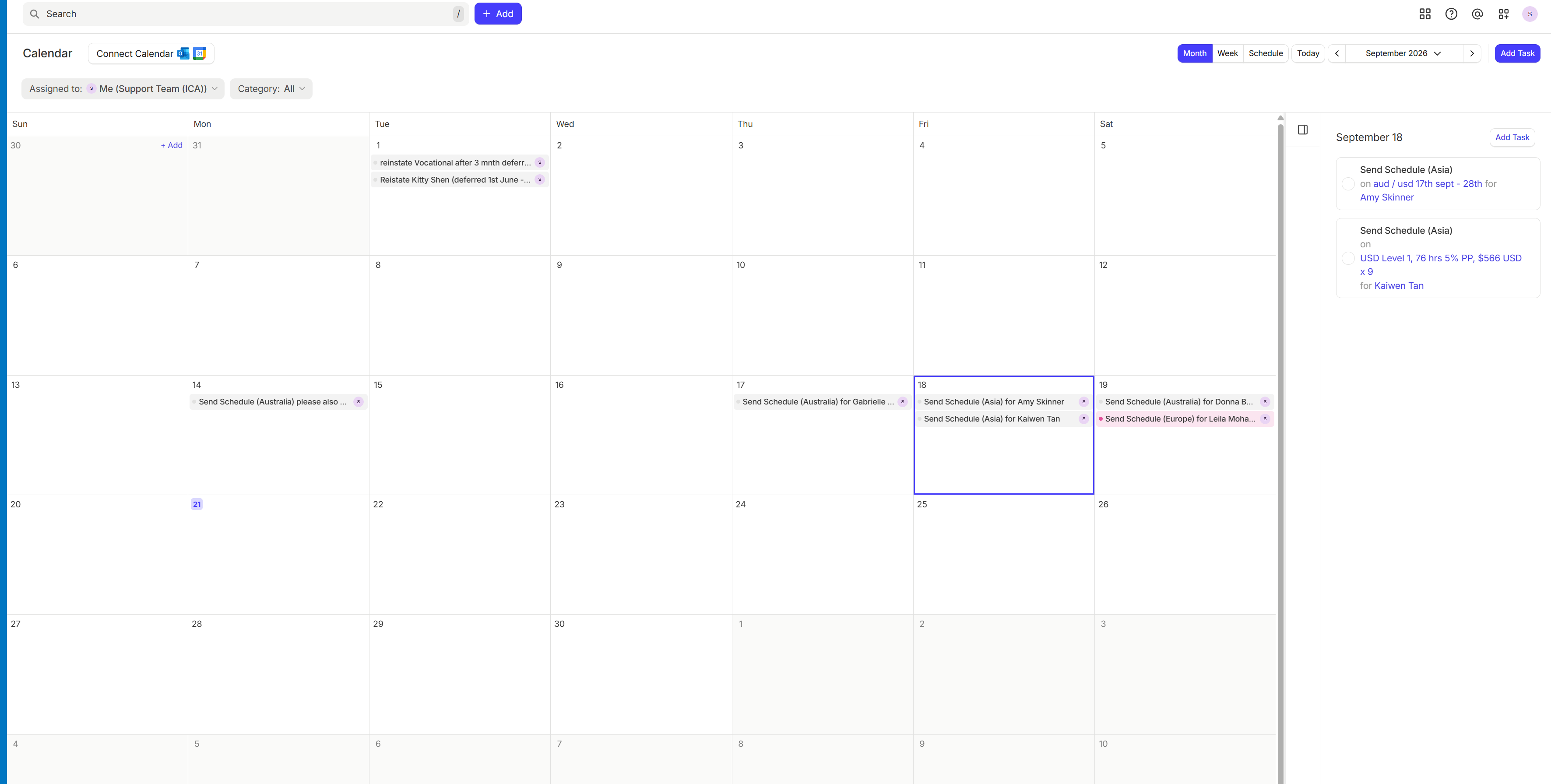
Step 2: Open the calendar (see image below)
Step 3: Click on the person's name
Step 4: Drop in the capsule canned response
Step 5: Send the email
Step 6: Close the task (so it is removed from the calendar)
It's important to always to do this from the support@icacoach.com gmail account so that the email is sent from support - meaning if the person replies, the reply drops in support.
Sending from Freshdesk (via Gmail)
Step 1: Login to the support hub 'support.icacoach.com'
Step 2: Open the ticket (or create a new email)
Step 3: Drop in the freshdesk canned response
Step 4: Send the email
Step 5: Close the ticket
If you were prompted to send the schedule due to a ticket in Capsule, then circle back to close off the task
-----------------------------------------------------------------------------------------------------------------------------------------
Appendices
Image 1: View of Capsule Calendar when logged into Capsule via support email. This shows the schedules in the calendar and as tasks (on the side)